A POS built for groceries and supermarkets
A POS for groceries and supermarkets: scan a barcode and the item is in the basket, sell by the piece or the carton, with approved e-invoices.
Discover the features, plans from 699 a yearGrocery POS features
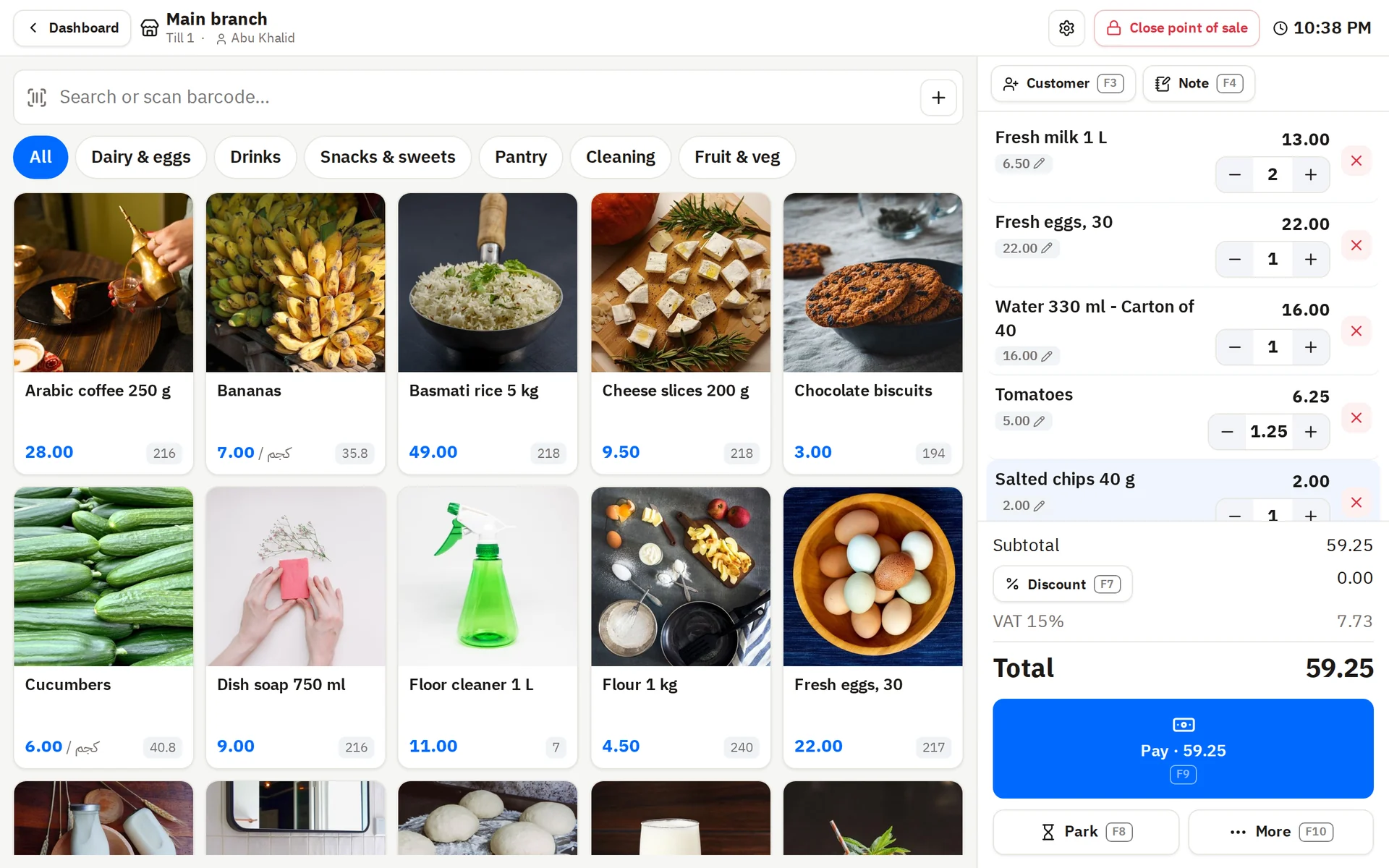
Fast checkout by barcode
The queue keeps moving at rush hour.
- Scan an item and it goes in the basket
- A discount on an item or on the whole invoice
- Pay in cash or by card, or split it between them
Piece and carton
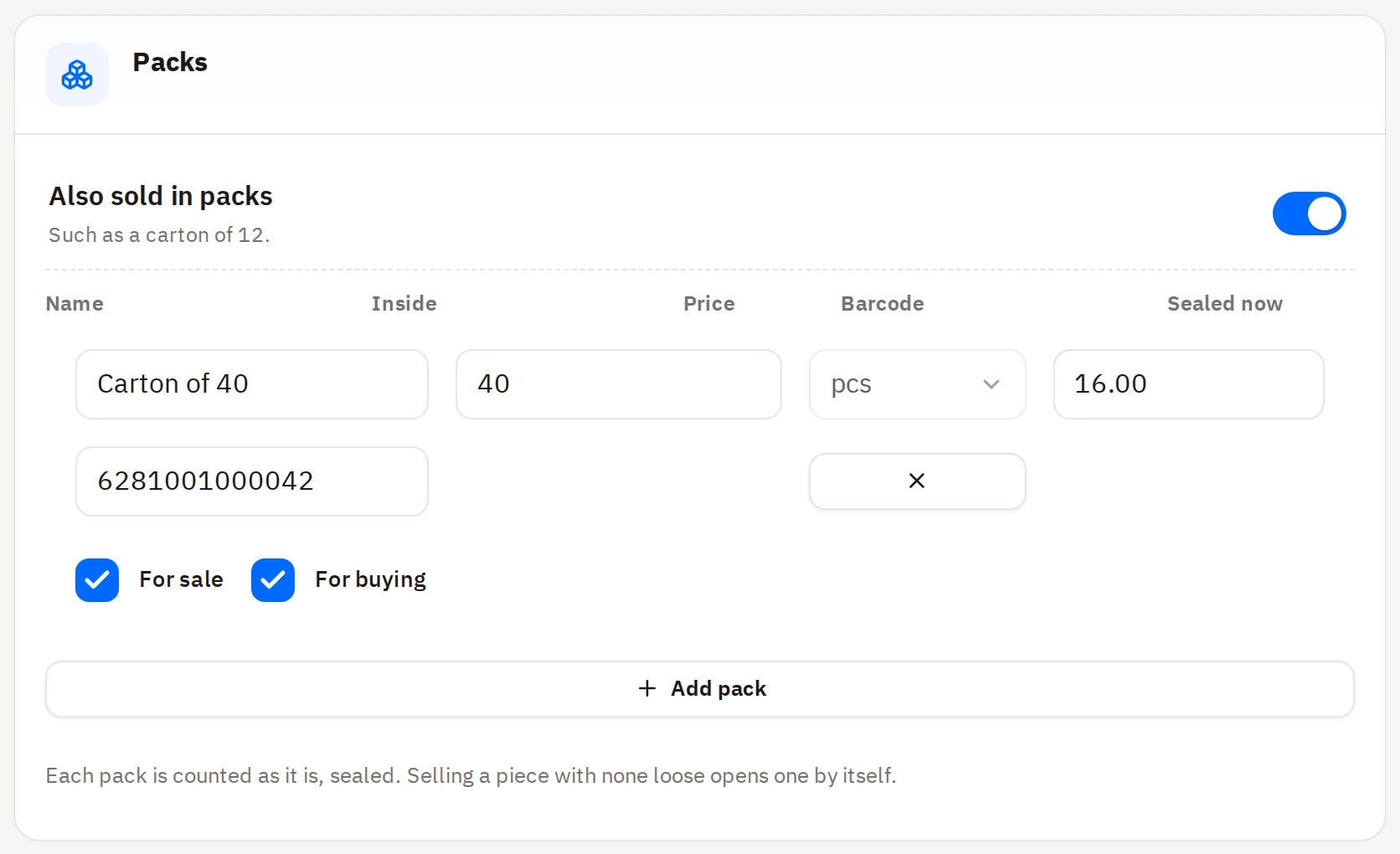
Sell the piece and the carton of the same item.
- A carton has its own price and barcode
- Stock comes off by the piece, however you sell
- You buy from the supplier by the carton too
Fruit and veg by weight
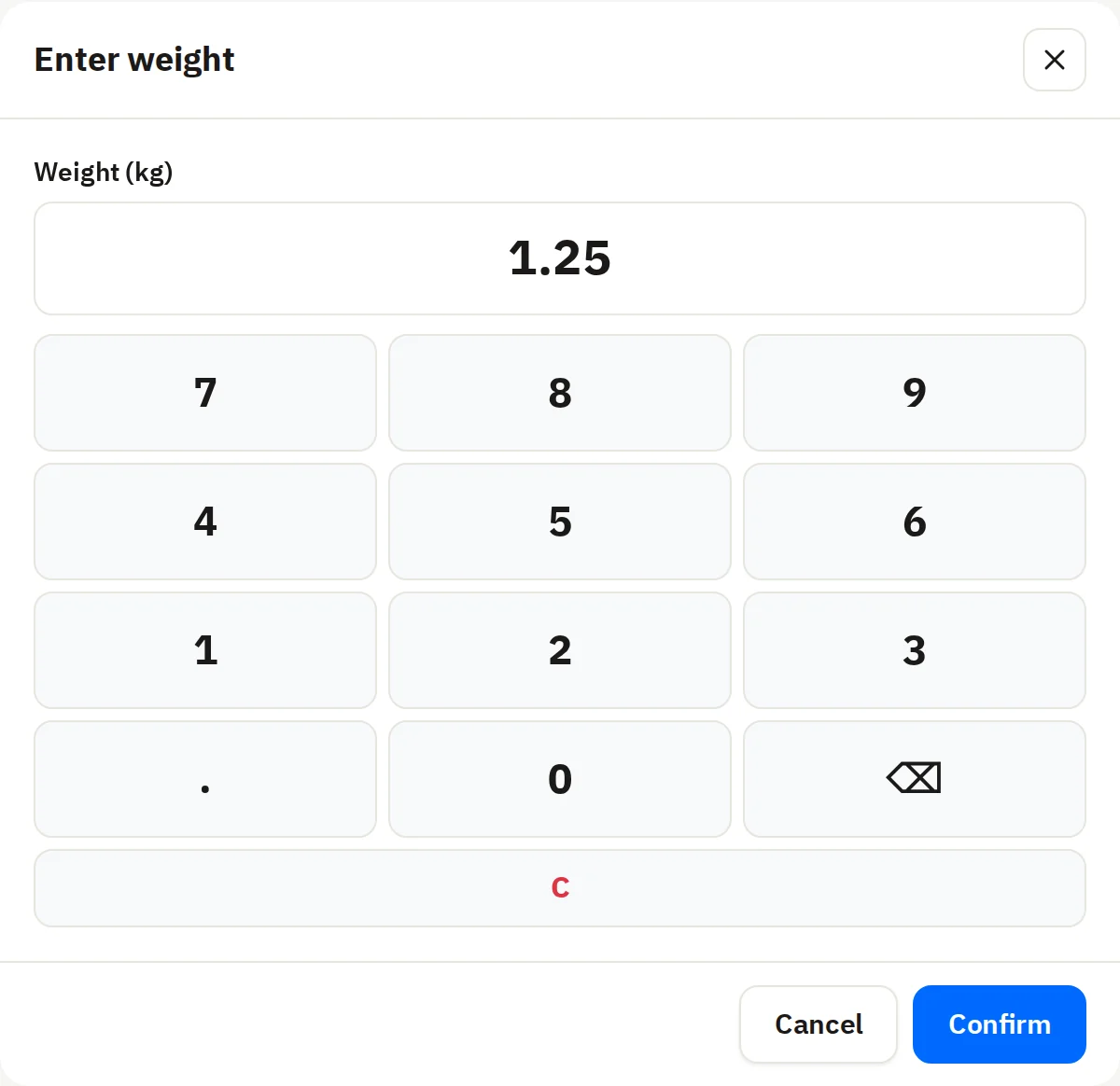
Sell by the kilo with no sums by hand.
- A price per kilo on the item; the till works out the rest
- It reads the scale’s label, by weight or by price
Low stock and reordering
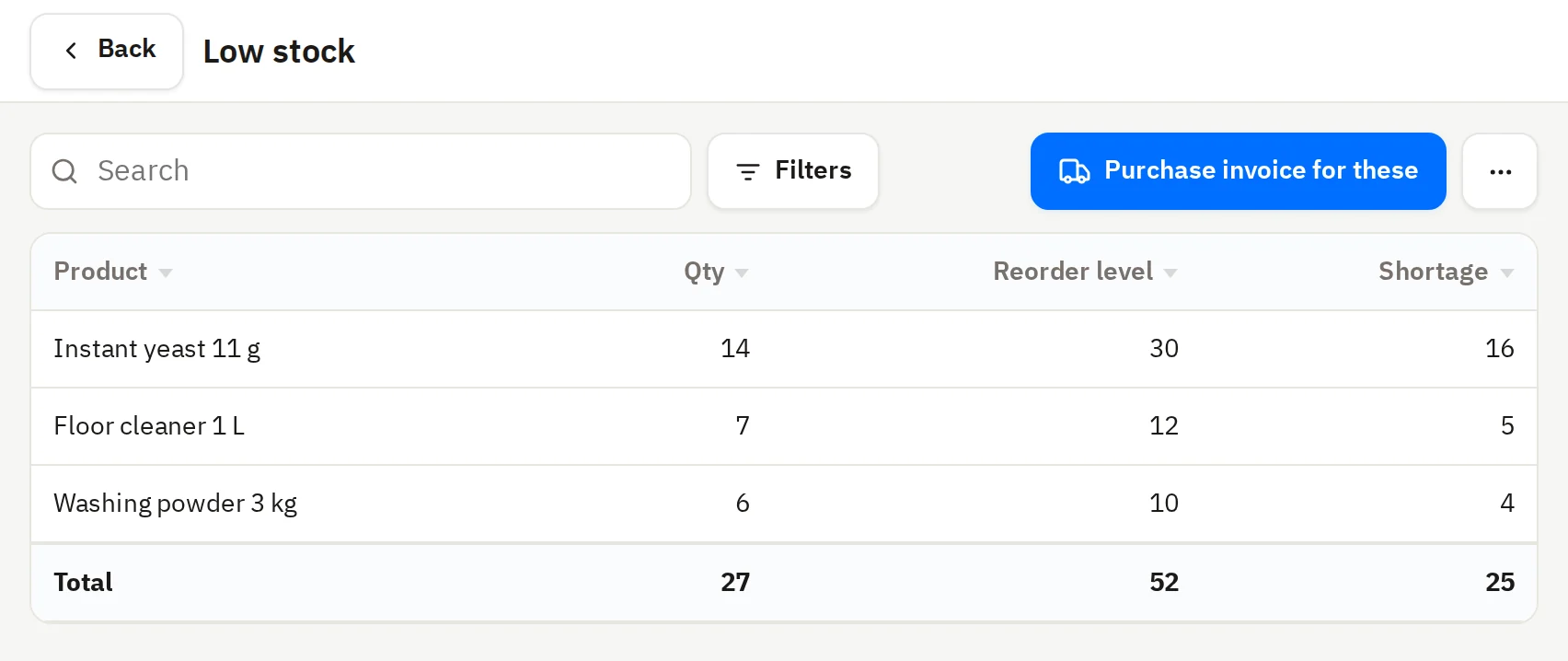
Never run out without knowing.
- A reorder level for each item
- One tap makes a purchase invoice for them
- Your stock’s value and cost in a report
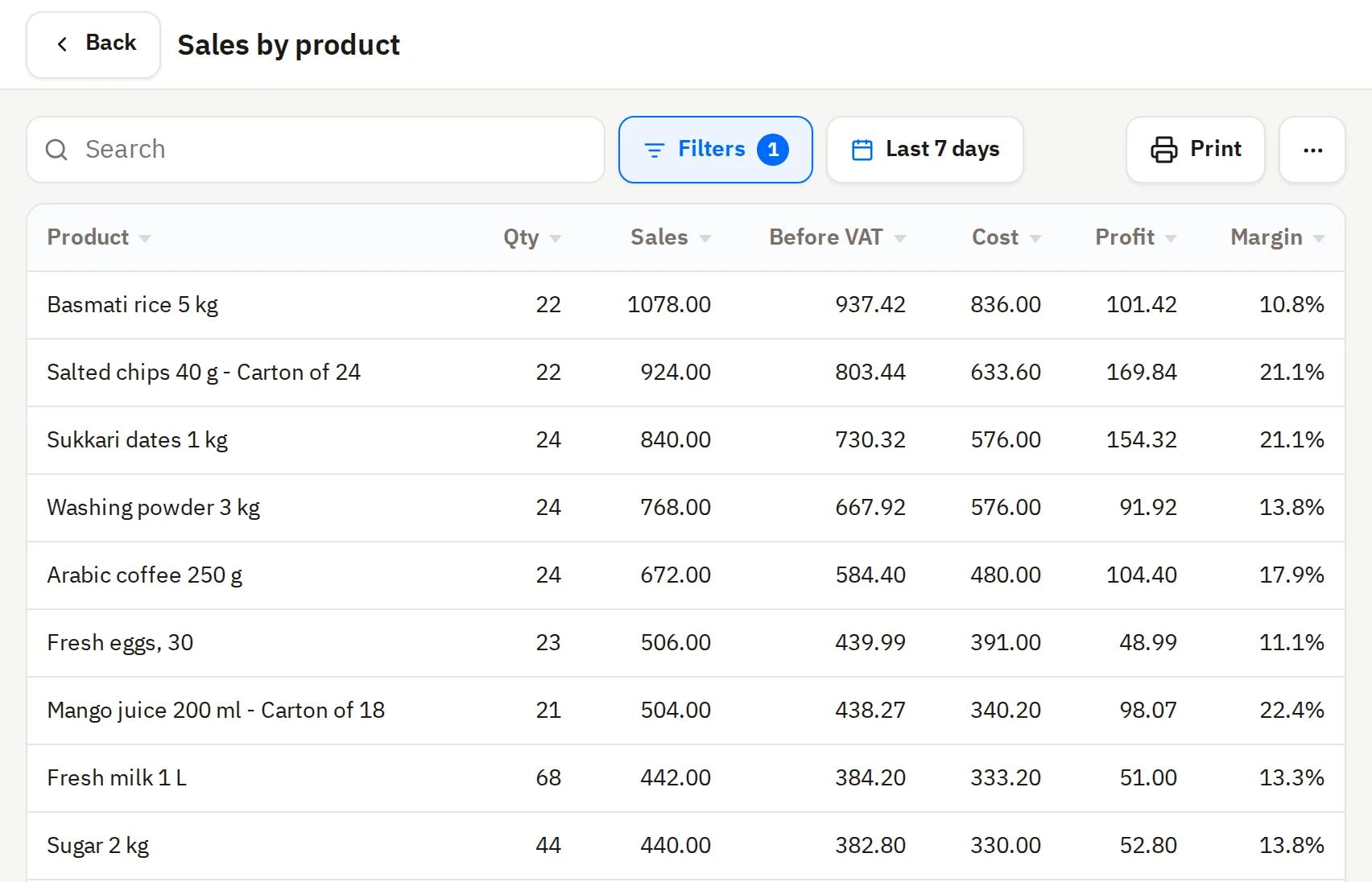
Sales reports
Know what sells and what earns, for any period you pick.
- Sales by item and by category
- Profit and margin for each item
- Sales by cashier and by branch
Credit and statements
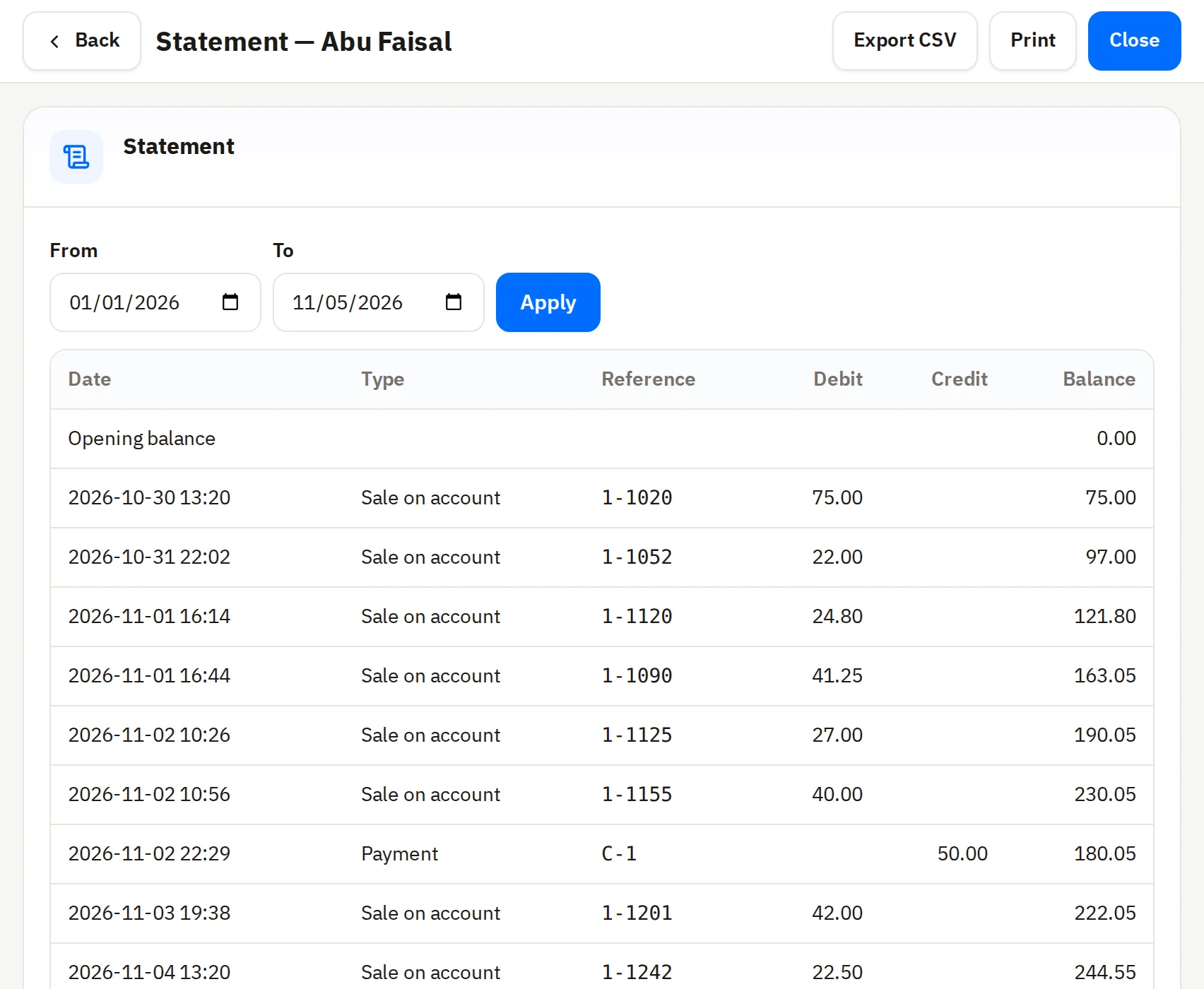
Know what each customer owes you.
- A credit limit for each customer; the till stops at it
- A statement of what they bought and paid
- Loyalty points and a wallet for the customer
Barcode labels
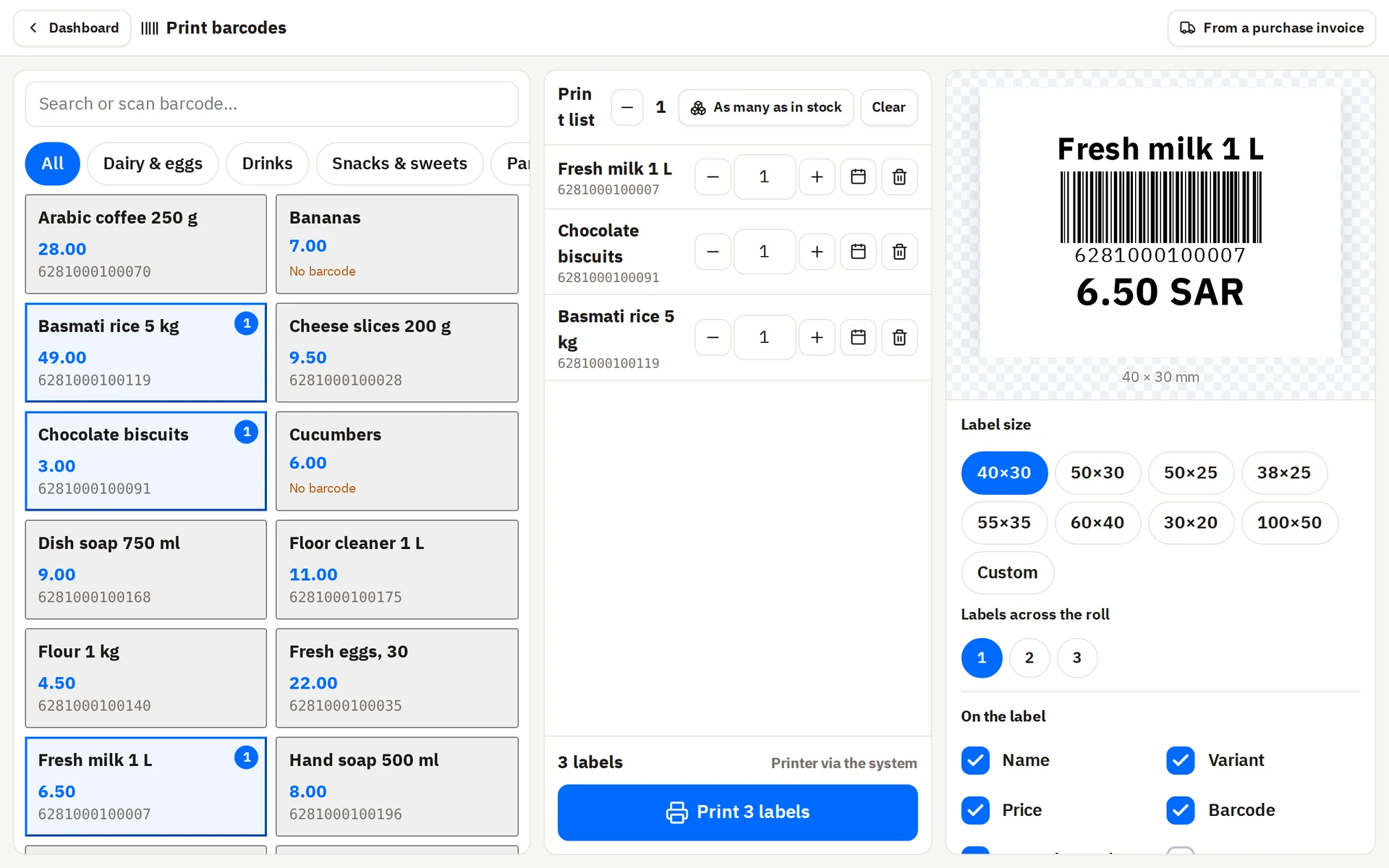
Print your items’ labels from the same system.
- Labels with the name, price and barcode
- Ready sizes from 30×20 to 100×50 mm
- Import your items from a file
More than 250 brands run on Wasla



























Plans
Compare every feature
Point of sale
Sales channels with their own prices
Customer screen
Reports
Detailed reports
Sales
E-invoicing
Invoices by WhatsApp
Electronic menu
Credit sales and collections
Customer management
Quotations
Salespeople’s commission
Customer wallet
Ordering through the electronic menu
Marketing
Loyalty points
Offers and discount codes
Customer stamps and gifts
The stamp card in Apple Wallet
SMS to customers
Card notifications to customers
Products
Reading your product list with AI
Products and categories
Stock
Stock, counts and transfers between branches
Stock and shortage reports
Recipes and packs
Expiry dates and serial numbers
Purchases
Reading invoices with AI
Purchases and their returns
Suppliers and their payments
Accounting
Automatic accounting
Profit reports
Expenses
The full VAT return
Journal entries and the chart of accounts
Trial balance and cash flow
Cost centers and financial periods
Fixed assets
Staff
Payroll
Employee files
Advances
Employee custody
Settings
Custom fields
Custom roles
Multiple brands
More, in every plan
- Touch selling
- Barcode scanning
- Scale selling
- Selling and printing offline
- Keyboard shortcuts
- Order types
- Tables
- Kitchen tickets
- Parked sales
- Returns
- Split payments and payment methods
- Discounts on the invoice
- Cash drawer
- Printing on printers
- Invoice design
- Invoice numbers
- The sales tax report
- Shifts and cashier custody
- Cash movements
- Product options and extras
- Barcode labels
- Importing products from a file
- Branches and registers
- Users and ready-made roles
- Activity log
- Deleted items
- Other taxes such as tobacco
- Resetting the store
- Switching between stores
- Multiple currencies
- Arabic and English
- Android and Windows apps
- Voice guides
- Support inside the system
Why choose Wasla?
Simple and powerful
We made everything simple, so you start with no fuss - and it is still a powerful system, however big your business grows.
Best price guarantee
A clear price you see before you subscribe, and we guarantee the best price for what you get.
Everything in one system
Sales, expenses, purchases, stock and staff in one place - no separate programs, no numbers that disagree.
Groceries and supermarkets cashier: common questions
Plans start at 699 SAR a year. The three plans and what each holds are in the pricing section on this page.
Yes. You add a carton to the item with its count, price and barcode; selling a carton takes the pieces off stock.
Upload a file with names, prices, barcodes and categories, and they are all added at once. A new barcode scanned at the till becomes an item on the spot.
Every sale gets a tax invoice with a QR code, compliant with ZATCA.